

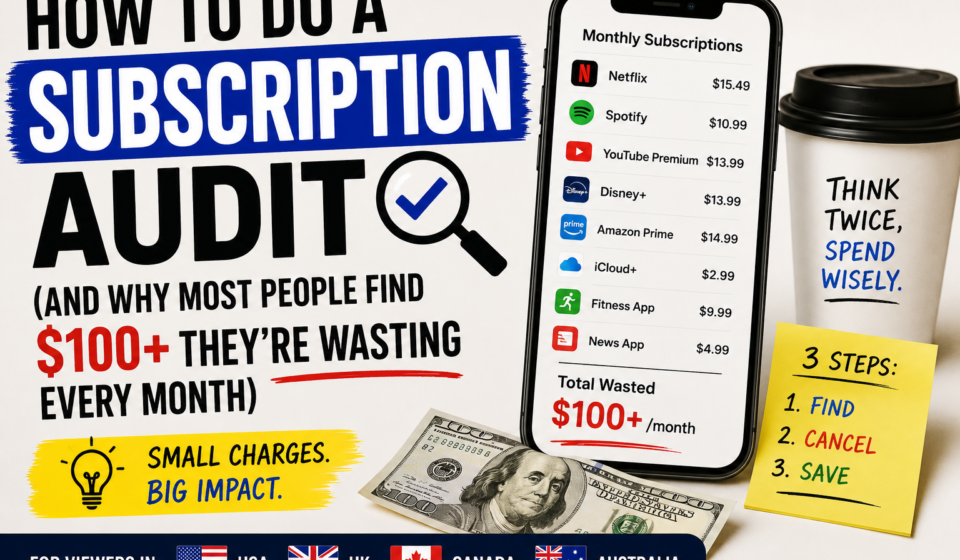
How to Do a Subscription Audit (And Why Most People Find $100+ They’re Wasting Every Month)
I want to tell you a specific number before we get into the process.
The average American pays approximately $273 per month across all subscription services. That’s from a 2022 C+R Research study that I find both believable and slightly depressing, because it means subscriptions are the third largest household expense for many people behind housing and food and unlike housing and food, a meaningful chunk of that money is going to things people don’t actively use.
Same study found that people typically underestimate their subscription spending by about 100%. They guess they pay around $86/month. The actual average is $273.
I underestimated mine too. I thought I was paying around $80/month. When I actually went through my bank statements last year, the real number was $193. Including a software subscription I’d completely forgotten about that had been auto-renewing at $84.99 for over a year.
Fourteen months. $1,189. For something I’d used for maybe two weeks.
The subscription audit doesn’t require any special tools or apps. It takes about 20 minutes. Here’s exactly how to do it.
Why Subscriptions Accumulate Without You Noticing
This isn’t a personal failure. It’s the product working as designed.
Subscriptions are structured so that cancellation requires action and renewal requires nothing. Every month that you don’t actively cancel, the charge appears. The burden of maintaining the relationship is entirely on the company, and their system is automated. The burden of ending it is entirely on you, and that requires a deliberate decision.
Companies also understand that smaller charges are less visible. A $14.99/month subscription doesn’t trigger the same mental alarm as a $180 annual charge, even though they’re the same amount. The monthly framing keeps the perceived cost low.
Free trials are specifically designed to convert to paid subscriptions with minimal friction. The upgrade is automatic. You opted in at the start. Opting out requires action you may not remember you need to take.
The result for most people: a slow accumulation of services that individually seemed reasonable to add and individually seem too small to bother canceling.
The 20-Minute Audit Process
You don’t need a subscription tracking app for this. The manual process is actually better because it forces you to consciously acknowledge each charge, which apps that auto-categorize don’t require.
Step 1: Open your bank account’s transaction history and go back at least 60 days, ideally 90. Look at your credit card statement too if you pay subscriptions on a different card than your bank account.
Step 2: Write down every recurring charge you find. Include the service name, the amount, and how often it charges (monthly, annual, quarterly). Don’t skip anything even $2.99/month charges deserve attention at this stage.
Step 3: For each subscription, ask yourself one question: did I actively choose to use this service in the last 30 days? Not “do I intend to use it” and not “is it good in theory.” Did I actually open it and find value in it in the last month?
If the answer is yes: keep it.
If the answer is no or you’re not sure: cancel it today.
The rule I use for the uncertain ones: if I have to think about whether I’ve used it recently, I haven’t used it enough to justify paying for it. Cancel. If I miss it, I can resubscribe. Most of the time the resubscription never happens.
Step 4: For each service you decide to cancel, cancel it immediately. Right now. Don’t add it to a “to do later” list. Companies rely on the fact that cancellation is mildly inconvenient and people procrastinate. The postponement is where they make their money.
Step 5: Repeat this process once every three months. New subscriptions accumulate faster than most people realize.
The Most Common Forgotten Subscriptions
Based on what comes up most often in these audits, here are the categories worth looking at carefully:
Free trials that converted. Any “start your free trial” sign-up from the last 18 months is worth checking. The default for virtually all free trials is automatic conversion to paid.
Streaming services for one series. It’s easy to subscribe for one show, finish it, and forget to cancel. Services know this and the cancellation process is designed to have multiple friction points.
Fitness and meditation apps. Downloaded during a motivated period, rarely used afterward. $9.99-$14.99/month adding up quietly.
Cloud storage upgrades. Upgraded during a period when you needed more space. The project ended. The upgrade didn’t.
Software tools for freelance or side projects. A tool for a project that finished, a course platform from a course you completed, a design tool for a one-time thing.
“Premium” upgrades for apps you use the free version of anyway. Many app upgrades are paid on impulse and the premium features turn out to be irrelevant to how you actually use the product.
Annual subscriptions that renewed without notice. The annual renewal charge is easy to miss it’s one charge instead of twelve and may have been months since you thought about the service.
How to Make the Cancellation Stick
Some services are designed to make cancellation difficult. Here’s what to expect and how to handle it:
Retention offers: many services will offer you a discounted rate or a free month when you try to cancel. Take the offer only if you actually want to continue otherwise it’s just delaying the cancellation by a month while they hope you forget again.
Multi-step cancellation processes: some services require multiple confirmation clicks, surveys about why you’re leaving, or navigation to a non-obvious settings page. Just push through it. It’s designed to frustrate you into giving up.
“Pause” options: some streaming and subscription services offer to pause rather than cancel. This is useful if you’re legitimately planning to return. It’s a trap if you don’t have a specific reason to come back you’ll forget to cancel the pause.
Annual subscriptions mid-cycle: you may not get a refund for the unused portion of an annual subscription. Cancel anyway, note when the billing period ends, and don’t pay again. Or contact support and ask for a prorated refund this sometimes works, especially for software tools.
What to Do With the Money You Find
The math on redirected subscription money is worth looking at directly.
If your audit frees up $100/month in subscriptions you weren’t using:
Put in a high-yield savings account for 12 months: approximately $1,210 including interest (at 4-5% APY currently available at many online banks).
Invest in an index fund for 20 years at historical average returns: approximately $86,000.
These are not hypothetical numbers. They’re what $100/month becomes over time at returns that are historically reasonable to expect.
The subscription money isn’t a small thing. Compounded over years, it’s the difference between having savings and not having savings, between building wealth and not building wealth.
The audit takes 20 minutes. The financial impact compounds for decades.
Building a System So This Doesn’t Happen Again
One-time audits solve the current problem. They don’t prevent subscriptions from quietly accumulating again over the next 12 months.
A few habits that help:
Set a calendar reminder for a subscription audit every 90 days. It takes 10 minutes for subsequent audits once you’ve done the first comprehensive one you’re just checking for new additions since the last review.
Before signing up for any free trial, set a calendar reminder for the day before it converts to paid. Decide then whether to keep it. Don’t trust yourself to remember.
Use a separate card for subscriptions if possible. Some people find it useful to put all subscriptions on one credit card so they’re all in one place to review. This makes the monthly audit faster because you know exactly where to look.
Review annual subscription renewals in advance. Many services send renewal notification emails. Check these and treat each one as a fresh decision about whether to continue.
The goal isn’t eliminating all subscriptions some of them are genuinely valuable and worth paying for. The goal is making sure every subscription is a conscious, active choice rather than a default that’s persisting from inertia.
Frequently Asked Questions
Q: What’s the best app to track subscriptions automatically?
Rocket Money, Truebill, and Mint all track subscriptions automatically. The manual audit is worth doing first because it creates awareness that auto-tracking doesn’t. After the initial audit, using an app for ongoing monitoring is a reasonable choice.
Q: What if I’m on a family plan and don’t control all the subscriptions?
Do the audit for your personal accounts first, then have the same conversation with whoever manages the family accounts. Family plan subscriptions often include services that some family members use and others have forgotten entirely.
Q: How do I cancel a subscription I can’t find in my account settings?
Check your bank or credit card statement for the exact company name. Search for “[Company Name] how to cancel subscription” — most have a straightforward process that isn’t always obvious from within the app or service. If you can’t find a cancellation option and the service has a support email or phone, contact them directly. As a last resort, you can request a chargeback through your bank for recurring charges from services you can’t cancel.
Q: Is it worth canceling something that’s only $2-3/month?
At $3/month over 10 years: $360, or roughly $470 if that money had been invested instead. For something you don’t use, yes, it’s worth canceling. The actual cancellation takes 3 minutes.