

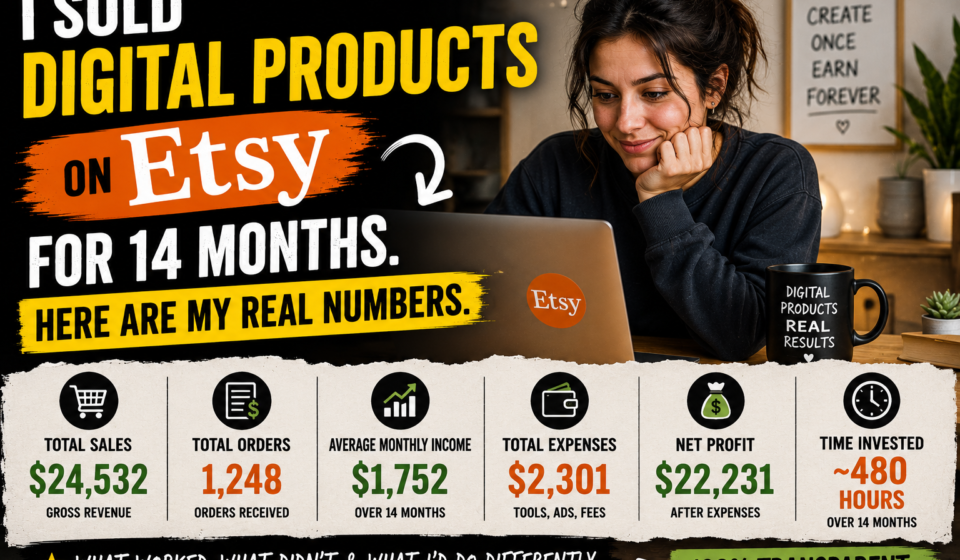
I Sold Digital Products on Etsy for 14 Months. Here Are My Real Numbers (And Everything I Wish Someone Had Told Me Before I Started)
Before I started, I read every article I could find about selling digital products on Etsy.
Every single one of them made it sound easy. “Create a template, list it, watch the sales come in.” Some were slightly more honest and said it would take “a few weeks” to get going. One article headline I still remember it promised to tell me “how I made $8,000 in 30 days selling printables.”
So I created 7 products in my first month. I spent a full weekend on them. I was genuinely excited.
My first month revenue: $0.00.
Not $14. Not $5. Zero. Complete silence. Not a single person clicked “buy.”
My second month: $14. One person bought a budget template. I remember exactly where I was when I saw the notification. It felt ridiculous ‘$14 ‘ but also like proof that the whole thing wasn’t a fantasy.
I kept going. 14 months later, I have enough real data to write something I actually wish had existed when I started — not a success story dressed up as advice, but an honest breakdown of what this business actually looks like from the inside.
The slow months. The weird slump in month 8 that I still can’t explain. The specific thing I changed in month 6 that shifted everything. The products that made almost nothing and why. And a straight answer to whether starting in 2026 is worth it.
The Real Month-By-Month Numbers
I want to put these out plainly before anything else, because the fake success stories in this space cause real damage. When someone reads “I made $10k in my first month” and then makes $14 in their second month, the natural conclusion is: I’m doing something wrong, or this doesn’t work for people like me.
Neither of those is true. What’s actually happening is that the person is living through the completely normal early phase that almost nobody talks about because it doesn’t make a good story.
Here is what 14 months actually looked like:
Month 1: $0 — 7 products listed. Complete silence. Not a single sale.
Month 2: $14 — Someone bought a budget template. Felt like winning something.
Month 3: $31 — Two sales. Starting to feel real, barely.
Month 4: $67 — Slow but consistent movement upward.
Month 5: $89 — Getting some views. Starting to understand which products were getting traction.
Month 6: $143 — Something shifted. I changed my approach. I’ll explain exactly what.
Month 7: $201 — First $200 month. The first time it felt like this might actually work.
Month 8: $178 — Unexplained dip. Nothing changed on my end. The algorithm just… moved. Still not sure why.
Month 9: $267 — Bounced back. New products starting to perform.
Month 10: $334 — The top 5 products becoming clearly dominant.
Month 11: $412 — Started doubling down on what was already working instead of creating new categories.
Month 12: $389 — Small dip. Normal fluctuation.
Month 13: $501 — First $500 month. Felt like a real milestone.
Month 14: $623 — Still growing. Spending 3-4 hours a month on maintenance.
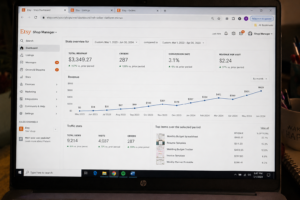
Total revenue over 14 months: approximately $3,349
Average per month: $239
I now have 34 products listed. My top 5 products generate approximately 70% of total revenue. The other 29 products generate a combined 30% and a lot of them earn almost nothing.
Hold onto that number. That 70/30 split turns out to be the most important insight from this whole experience, and it took me way too long to actually act on what it was telling me.
What I Actually Sell (And Why These Specific Products)
Budget templates in Google Sheets. Resume templates in Canva. Weekly and monthly planners. Wedding budget trackers. Small business invoice templates.
All of them are digital files that buyers download immediately after purchase. No printing, no shipping, no packaging, no inventory. The buyer pays, Etsy automatically sends them a download link, they click it, and the file is theirs.
I use two tools: Canva (free tier for the first eight months) and Google Sheets (completely free). My startup cost for each product was literally the $0.20 Etsy listing fee. That’s it.
Nothing I make requires advanced design skills. I’m not a designer. I learned Canva from YouTube tutorials and figured out Google Sheets formulas by Googling them as I needed them. If you can make a decent-looking document and build a basic spreadsheet, you have the skills to start.
What Changed in Month 6 — The Specific Thing That Made the Difference
The growth that started in month 6 was not random. Something specific changed in how I was approaching the whole thing — and looking back, it’s honestly embarrassing that it took me five months to figure it out.
Here’s what I was doing wrong before month 6:
I was making products based on what I thought would be useful. I’d have an idea — “a weekly meal planning template would help people,” or “a habit tracker would be popular” — and I’d just make it, write a listing, and post it. Then I’d wait. Usually nothing would happen.
The problem wasn’t the product quality. The problem was that I was guessing what people wanted instead of actually finding out what they were searching for.
What I changed around month 6: I started doing keyword research before making anything.
Here’s exactly what that looked like. I’d go to the Etsy search bar and type the beginning of a keyword — something like “budget template for” and watch what the autocomplete suggested. Those suggestions are Etsy showing you what real buyers are actually searching for right now. Then I’d click on the top 5 or 6 results for that keyword and look at their sales numbers. If the top shops were all getting consistent sales, that told me demand was real and proven. Then I’d ask myself: can I make something better, more specific, or more visually appealing than what’s already ranking?
If yes to all three: I’d make the product.
If no: I’d move on to a different keyword.
The difference in results was immediate and significant. Products I made with that research process consistently outperformed products I’d made before it, even when the pre-research products were objectively better designed.
The lesson I should have learned in week one: keyword research first, every single time. Design second. Not the other way around. The market tells you what it wants if you look the mistake is deciding you already know.
My 5 Best-Selling Products, What They Cost, and Why They Actually Sell
Understanding why these specific products work matters more than knowing what they are. The principles behind them are the same principles you’d apply in whatever niche you choose.
1. Monthly Budget Spreadsheet Template (Google Sheets) — $11
This one accounts for about 25% of my total revenue across 14 months. It was one of my earliest products and, honestly, I got the keywords roughly right by accident the first time. “Monthly budget template” has genuinely high search volume on Etsy, and I happened to write a title that matched what buyers were searching for.
What makes it work: it solves a real, recurring problem. People don’t just need a budget template once — they use it every month. The problem repeats, which means the product stays relevant all year. It has formulas built in that do the math automatically, which saves buyers time and makes it feel worth $11.
2. Resume Template (Canva) — $9
Consistent sales every single month without exception. The search volume for resume templates is enormous — job searching never stops — but so is the competition. Thousands of sellers have resume templates. I rank because I spent extra time making mine actually look like something a hiring manager would remember, rather than another version of the same generic format that fills the first page of results.
The lesson here: in high-competition keywords, design quality is your only real differentiator. Generic won’t cut it.
3. Wedding Budget Tracker — $13
This one taught me about seasonality. Sales spike every engagement season — roughly November through February in the US, when proposal rates peak and couples start planning. I made this product specifically because I ran the keyword research and saw strong search volume for “wedding budget template” and “wedding planning spreadsheet” with decent sales in the top listings and enough room to rank with better design.
It earns almost nothing in summer. It spikes significantly in winter. Building awareness of seasonal patterns is part of running this business well.
4. Small Business Invoice Template — $8
B2B buyers behave differently from individual buyers. They’re more likely to buy bundles, more likely to come back, and more likely to leave detailed reviews. This product led to my first “shop bundle” sale — a customer bought three business templates together because I’d packaged them as a set at a slight discount. Average order value went from $8 to $21 on that transaction.
The takeaway: business-focused products attract more reliable buyers. Consider it when choosing your niche.
5. Weekly Planner Printable — $7
High search volume, high competition, lower price. This product has thinner margins than the others, but the consistent traffic volume compensates. A product that sells 40 times a month at $7 is better than a product that sells 5 times a month at $12, assuming similar effort to maintain.
The pattern across all five: every single one solves a specific, frequent problem for a clearly defined audience.
Not “budget template.” “Zero-based budget template for couples tracking shared expenses.”
Not “weekly planner.” “Weekly planner for teachers with daily lesson planning columns.”
Not “resume template.” “ATS-friendly resume template for recent college graduates.”
Not “invoice template.” “Simple invoice template for freelancers with automatic total calculation.”
The more specific the audience and problem, the less competition you face, the easier it is to rank, and the more loyal the buyers tend to be. Specific is better than general. Always.
The Products That Made Almost Nothing — And What They Had in Common
I want to be transparent about this because successful sellers almost never talk about their failures, and that distorts people’s expectations.
Roughly 15 of my 34 products have generated less than $20 in combined revenue across 14 months. A few have never sold at all.
Here’s what the failures had in common:
I made them based on intuition, not research. I thought they’d be useful. I was wrong — not because the products were bad, but because either nobody was searching for them, or the niche was too crowded for a new seller to break into without an established reputation.
They were too generic to stand out. “Productivity planner” competes with thousands of listings. Without a clear design advantage, a keyword advantage, or a specific audience, there’s no reason a buyer would choose mine over an established seller with hundreds of reviews.
The thumbnails were bad. My early product images were flat screenshots — literally just a screenshot of the template on a white background. Nobody wants to buy a screenshot. Buyers want to see the product looking real and useful — a budget spreadsheet open on a laptop, a planner printed out on a desk. The thumbnail determines whether someone clicks. If the thumbnail doesn’t stop the scroll, the quality of the actual product is irrelevant because nobody sees it.
Wrong pricing. I priced some products significantly above competitors without enough clear differentiation to justify it. Price tolerance on Etsy is tighter than most beginners assume.
The failure products weren’t wasted effort. They were the tuition for learning what actually works. But if I’d done the research first, I’d have skipped most of them.
How Much Time Does This Actually Take? (The Honest Answer)
The phrase “passive income” is technically accurate but wildly misleading about the first year of building a digital products business. Here’s what the time investment actually looked like:
Months 1 through 6 — active phase: I spent 8 to 12 hours per week on this. Creating products, rewriting listing titles and descriptions, learning keyword research from scratch, studying what successful shops were doing differently, fixing thumbnails I’d made badly the first time around, reading about Etsy’s algorithm, testing different price points. This is not passive. This is a part-time job.
Months 7 through 14 — maintenance phase: I now spend about 3 to 4 hours per month. Answering occasional customer questions (usually about downloading or using the templates), creating 1 or 2 new products when I spot a good keyword opportunity, updating seasonal listings, reviewing Etsy analytics once a month to see if anything needs adjusting.
The transition from active to passive happened around months 9 and 10 for me. That’s when I had enough products with enough reviews and enough ranking history that several listings were generating consistent traffic without any promotion from me.
The honest framing: this is passive income after 9 to 12 months of non-passive work. The passive income framing is accurate about the end state. It’s deceptive about what it takes to reach that state.
If someone tells you this is passive from day one, they’re either lying or they got unusually lucky.
How the Delivery Actually Works — Step by Step
This is the question I’ve been asked more than any other since writing about this experience, so I want to explain it completely.
For Canva templates:
First, design your template in Canva and get it exactly how you want it. Then — and this is the key step — open the Share menu in Canva and look for the “Share template” option. This generates a special link that, when clicked, opens the template in the buyer’s Canva account as their own copy to edit. They don’t edit your original.
Now, create a simple PDF in Canva that contains this template link and basic instructions: “Click the link below, then go to File → Make a Copy, and you’ll have your own editable version.” Upload this PDF to your Etsy listing when you create it. After someone purchases, Etsy automatically emails them a download link to this PDF. They download the PDF, click the link inside, make their copy, and they’re done.
You do nothing after setup. Etsy handles the delivery completely automatically.
For Google Sheets templates:
Build your spreadsheet with whatever formulas, conditional formatting, and structure you want the buyer to have. Then go to Share in Google Sheets, set access to “Anyone with the link can view” — not edit, just view. Copy that link.
Create the same kind of simple PDF with the link and instructions: “Click the link, then go to File → Make a Copy to get your own editable version.” Upload to Etsy. Same automatic delivery process.
The buyer gets their own fully editable copy of your spreadsheet including all the formulas. Your original is protected and untouched.
The entire delivery system is automated from your end. You set it up once when creating the listing and it runs itself from that point forward.
Getting Traffic Without Paying for Ads — What Actually Worked
For my first eight months, my advertising spend was exactly $0. Here’s what drove traffic instead:
Etsy Organic Search
This is the primary traffic source and it’s entirely free. When your listing title, tags, and description contain the keywords buyers are searching for, Etsy surfaces your listing in search results. No cost to you.
The key thing to understand: this takes time. New listings typically don’t rank well for the first four to eight weeks. Etsy’s algorithm needs to see some engagement before it starts pushing a listing higher in results. This is another reason why month 1 is usually $0 or close to it — the algorithm hasn’t indexed you properly yet.
This one surprised me. Pinterest drives consistent, meaningful traffic to Etsy shops for free, and most beginners completely overlook it.
The process is simple. For each product, I create one pin using the same mockup image from the Etsy listing, write a keyword-rich description (budget template for couples, monthly planner printable, etc.), and link it directly to the Etsy listing. Takes about 5 minutes per product.
Pinterest is a search engine, not a social media feed. Pins don’t disappear the way Instagram posts do — they get indexed and keep being found by new people for months and years. A pin I made 8 months ago still drives traffic every week. It compounds over time in a way that most social platforms don’t.
Etsy Ads — What I Actually Found
I started testing Etsy’s paid advertising in month 9, running a $1-2/day budget on my top 3 listings only. The results were genuinely mixed.
Two of my listings showed clear positive ROI — the ad spend brought in more revenue than it cost. One listing burned budget with no return at all. I kept the two that worked and turned off the one that didn’t.
My current rule for ads: only run them on listings that already have at least 5 reviews and some organic sales history. Running ads on new listings with no reviews is expensive and converts poorly. Buyers are unlikely to purchase from a listing with no reviews regardless of how good the ad looks.
The Keyword Research Process — Exactly What I Do
Since this is the thing that changed everything for me, I want to explain it in more detail than most articles bother to.
Step 1: Etsy Autocomplete
Go to Etsy’s search bar. Type the beginning of a topic you’re considering — something like “budget template” or “planner for” — and stop before pressing Enter. Watch what Etsy suggests to complete your search.
Every suggestion Etsy offers is a real search phrase being used by real buyers right now. This is not guessing — this is Etsy showing you its own demand data for free. Write down every relevant suggestion.
Step 2: Check Actual Sales in That Niche
Click on the top 5 or 6 results for your target keyword. Look at each shop’s listing. Most Etsy listings show the number of sales or reviews, which gives you a proxy for how well that product is actually selling. If the top shops have strong, consistent sales numbers, demand in that niche is real and proven.
Step 3: Check Competition Volume
Search your keyword and look at the total number of results. 5,000 listings is manageable. 50,000 listings is highly competitive. 200,000+ listings means breaking through will be very difficult without significant differentiation.
Step 4: Use Erank for Additional Data
Erank (erank.com) has a free tier that gives you estimated monthly search volume and competition scores for Etsy keywords. After you’ve done steps 1 through 3 manually, use Erank to validate your top 3 keyword choices with actual data. It’s not perfect, but it adds another layer of confidence before you invest time creating a product.
Step 5: The Specificity Test
Before you make anything, ask yourself: is there a more specific version of this keyword that serves a defined audience? “Budget template” is generic. “Budget template for couples paying off debt together” is specific. Specific keywords have less competition, more targeted buyers, and higher conversion rates.
Only start making the product after you’ve completed all five steps.
Thumbnail Images — The One Thing That Changes Everything Immediately
I want to give this its own section because the impact is larger than most people realize.
My first 8 listings had flat screenshots as thumbnails. A screenshot of a spreadsheet on a white background. A screenshot of a Canva template with a plain background. I thought the product quality was obvious from looking at the file.
What I didn’t understand: buyers make a decision to click or scroll past in approximately 2 seconds. In those 2 seconds, they are not evaluating the quality of your spreadsheet formulas or your design choices. They are reacting visually to the image in front of them.
A flat screenshot does not create a positive visual reaction. A mockup image — a budget spreadsheet displayed on an open laptop, a planner printed out sitting next to a coffee cup on a desk — communicates usefulness and quality instantly.
Canva has free mockup templates built in. You drag your design into the mockup, adjust positioning, download the image, and upload it as your listing’s main photo. The whole process takes about 10 to 15 minutes per product.
I changed my worst-performing listings’ thumbnails from screenshots to mockups over the course of one weekend. The click-through rates on those listings improved significantly within two weeks. Not the products, not the prices, not the keywords — just the first image.
If you’re only going to do one thing differently from what I did in my first five months: make proper mockup thumbnails from the start.
What I’d Do Differently Starting Today
These are the four things I’d change if I could restart with what I know now:
Spend two weeks on research before creating anything. I wasted months making products that weren’t aligned with what buyers were searching for. Two weeks of careful research at the start would have accelerated my path to profitability significantly.
Stay in one niche for the first 20 products. I spread myself across finance templates, wedding planning, productivity tools, and business documents. A shop with 20 strong finance templates builds authority in that category. A shop with 5 products in 4 categories builds authority in nothing. Depth beats breadth in Etsy’s algorithm and in buyer trust.
Build product bundles from month 3 or 4 onward. Once you have 4 or 5 products in the same niche, bundle them at a slight discount. Buyers who are already in your shop are the easiest people to sell to again. Bundles increase average order value without requiring you to find new customers.
Focus on iterating winners instead of always creating new categories. When I found that my budget spreadsheet for couples was getting consistent sales, I should have immediately made budget spreadsheets for students, for freelancers, for families, for single people — 5 variations on the proven winner, all with separate keyword research. Instead, I spent that time making products in completely different niches. Iteration on proven demand is almost always a better use of time than exploration.
H2: Is Etsy Digital Products Worth Starting in 2026?
The honest answer is yes – but with realistic expectations that most people don’t set going in.
The market is meaningfully more competitive than it was three years ago. You cannot list generic templates and expect organic sales the way early sellers could. That window has closed.
What still works in 2026: niche products with proven keyword demand, design quality that stands out visually in search results, consistent research-driven product development, and the patience to build over 12 months or more rather than expecting meaningful results in 30 days.
$623 per month from 3 to 4 hours of ongoing work is real money. It doesn’t replace a full salary. But for someone building toward financial independence, or who simply wants a reliable income layer that doesn’t require their active time to maintain — this kind of result is achievable with the right approach.
The market rewards patience and specificity. It punishes impatience and generic thinking.
The sellers making real, sustainable income from digital products are not the ones who listed 100 random products and hoped something would stick. They’re the ones who did the research, identified specific demand, made products that served specific audiences well, and built consistently over time.
If you’re willing to approach it that way, there is still genuine money available here in 2026.
Common Questions I Get Asked
Q: Do I need to be a Canva Creator to sell Canva templates on Etsy?
No, and this confuses a lot of beginners. Canva Creator is a separate program for selling within Canva’s own marketplace. To sell on Etsy, all you do is share a standard Canva template link — any free Canva account can generate one. No application, no approval process, no special status required.
Q: Do I need design skills to start?
Basic Canva familiarity is enough for planners, trackers, and visual templates. For spreadsheet templates in Google Sheets or Excel, you need no design skills at all — just the ability to build a functional spreadsheet with the right formulas. Canva’s built-in tutorial library is genuinely useful for beginners.
Q: How many products do I need before sales become consistent?
Based on my experience and what I’ve heard from other sellers: consistency typically develops somewhere around 20 to 30 research-driven products. The number matters less than the quality of the research behind each product. 20 well-researched products will consistently outperform 100 products made on intuition.
Q: Can I sell the same products on multiple platforms?
Yes, and you should. Etsy gives you discoverability — millions of buyers already searching. Your own website gives you higher margins because there are no platform fees. Gumroad or Payhip work well for selling directly if you build an audience through social media or a blog. Building across multiple platforms is the right long-term strategy.
Q: My products aren’t getting views. What do I do?
Zero or very low views is almost always a keyword problem. Your listing isn’t matching what buyers search for. Go back to keyword research. Look at the titles and tags on the top-selling listings in your niche. Your title needs your main keyword in the first 40 characters. Your tags need to include natural variations of how buyers might search for your product.
Q: I’m getting views but no sales. What’s wrong?
Views without purchases is typically a thumbnail or pricing problem. Your listing is being found but buyers aren’t clicking through or aren’t converting once they do. Start with the thumbnail — is it a mockup or a screenshot? Then check pricing against your top competitors. Then read your listing description and ask whether it clearly explains what the buyer gets and why it’s useful.
Q: What does it actually cost to start?
Canva: free. Google Sheets: free. Etsy seller account: free to open. Each listing: $0.20. Total cost to list 10 products: $2.00. This is one of the genuinely lowest-barrier businesses available.
Q: What about taxes on income from digital products?
In most countries, income from selling digital products online is taxable. Keep records of your earnings from the start. Once you’re making consistent monthly income, speak with a local accountant about the right structure and filing requirements for your situation. This is not complicated but it’s worth doing properly.


Thank you for sharing this genuine information. I have been considering selling digital products on Etsy and this helps so much.
I do want to mention I believe Etsy now charges $29 to open a new store.